Platform: Meta Quest 3 / 3S ·
Data: Google Earth 3D · Cesium for Unity ·
Developer: Stoian Andrei (solo, indie) ·
External rating: GeekGasm 9/10
About the App
What is WorldLens VR?
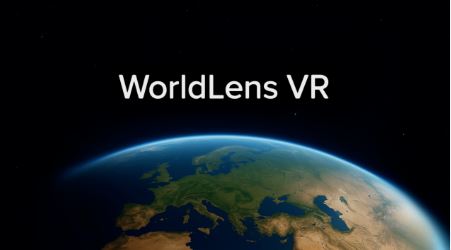
WorldLens VR is the highest-quality Google Earth 3D explorer available on Meta Quest — and widely considered the best virtual travel app on the platform. It streams Google's Photorealistic 3D Tiles via Cesium for Unity, giving users access to near-universal 3D city coverage across the globe, all from inside a VR headset. You can fly over Neuschwanstein Castle in Bavaria, soar along the Grand Canyon rim, visit your own street, or drop into 8K Street View panoramas anywhere Google's cameras have been.
The story behind WorldLens is as compelling as the app itself. Developer Stoian (Boe) Andrei began building it at age 15 when he saw the announcement that Google Earth data would be available in Unity via Cesium for Unity. He taught himself the technical stack, joined the Cesium community forums, and built an app now featured by Cesium as a showcase of what the platform can achieve on lightweight standalone hardware. WorldLens delivers smooth performance averaging above 70fps on Quest 3 — a remarkable technical achievement for a solo developer streaming massive geospatial datasets to a device that fits on your face.
Why WorldLens beats Google Earth VR: The original Google Earth VR for PC VR is discontinued and no longer updated. WorldLens fills that gap on standalone Quest with significantly better image quality, active weekly updates, multiplayer, AI, time travel and Street View all in one app — driven by genuine community feedback. Reviewers who have tried both consistently prefer WorldLens.
WorldLens has been through continuous weekly, community-driven updates since launch. The developer is actively engaged with users, making it one of the most iteratively improved apps in the Quest education and travel category.
Features
What Does It Include?
🌏
Google Earth 3D — Best Quality on Quest
Streams Google Photorealistic 3D Tiles via Cesium for Unity at up to 8K, with AI-powered Upscale 3D Imagery that enhances close-up detail beyond the raw data. Nearly every recognisable city on Earth is covered in full 3D — including residential streets. Freely adjustable level of detail for smooth performance across connection speeds.
🗺️
Street View — 8K Panoramas
All Google and Community Street View imagery is available in raw 8K quality — the best rendering fidelity on the Meta Quest platform. Drop out of 3D flight into street-level exploration anywhere Google's cameras have been. Integrated Google Maps cross-referencing lets you plan multi-stop itineraries before you fly.
⏳
Time Travel
Browse historical Google Earth imagery across timelines. Watch cities grow, coastlines change, forests shrink, or glaciers retreat. Revisit a location as it was years ago — a powerful tool for geography fieldwork on urban change, coastal erosion, land use and environmental change over time.
🤖
World AI — Tour Guide in 2,000 Languages
Powered by the OpenAI API. The AI can see your surroundings, understand your location and respond in any of 2,000 languages. Ask it to give you a tour of Bucharest, explain what you're looking at in Victoria Falls, describe the history of a neighbourhood, or find a better route. The AI add-on is a purchasable extra within the app.
👥
Multiplayer Exploration
Explore with friends or classmates simultaneously in shared virtual space. A strong differentiator for classroom use — students can collaborate on field studies, compare locations or experience the same place together from different headsets.
🕹️
Controls & Comfort
Fully remappable movement controls — thumbsticks, hand pointing for superhero-style flying, or custom gestures. Snap turning and movement vignette for motion comfort. Auto-zooming mini-map and integrated compass. Realistic day/night cycle with adjustable time and lifelike atmospheric haze.
Education Value
WorldLens in the Classroom
WorldLens is exceptionally well-suited to geography education — arguably the strongest real-world fieldwork tool available on any VR headset. It brings every major geographical topic to life in a way that no textbook, video or flat map can match.
🏙️ Urban geography
Fly over CBD zones, suburbs and industrial areas. Compare settlement patterns. Watch cities change over time with Time Travel.
🌊 Coasts & rivers
Visit Chesil Beach, the Mississippi Delta or the Amazon Basin. See landforms at real scale — instantly more powerful than aerial photos.
🌿 Environmental change
Time Travel to show deforestation in the Amazon, glacier retreat in the Alps, or the spread of Dubai's artificial islands.
🗺️ Fieldwork prep
Pre-visit a real fieldwork location in VR before the trip. Identify transect routes, note land use, plan data collection points.
🏔️ Tectonic landforms
Fly the Himalayas, Hawaii's shield volcanoes or the San Andreas Fault. See plate tectonics written in the landscape at continental scale.
🌍 Development & inequality
Contrast slum settlements and wealthy districts in the same city. Visit rural communities in LICs. Make development real, not abstract.
The World AI as a live classroom guide: The AI add-on turns WorldLens into a live interactive lesson. Students can ask questions about what they see, request historical context, get population statistics or ask the AI to explain a physical geography process while flying over the landform. It responds in any language — powerful for EAL students and international schools.
Multiplayer for class use: Multiple headsets can explore the same location simultaneously. A teacher can lead a virtual field trip — flying to a location, pointing things out and asking questions while all students see the same view. This is genuinely unprecedented for geography education.
Curriculum Fit
UK Curriculum Mapping
WorldLens maps directly onto the entire GCSE and A-Level Geography curriculum. Physical geography units (coasts, rivers, tectonics, glaciation, weather and climate) all have spectacular real-world examples to visit at genuine scale. Human geography units (urbanisation, development, global connections, fieldwork) benefit enormously from being able to stand in the places being studied rather than looking at photographs. Time Travel supports the Environmental Change and Sustainability units particularly well. The multiplayer and AI tour guide features make it equally powerful for independent student exploration or teacher-led virtual field trips.
XR School Verdict
3D image quality10/10
Education value10/10
Feature depth10/10
Engagement10/10
Ease of use9/10
Value for money10/10
Bottom line: The best virtual travel and geography exploration app on Meta Quest, by a clear margin. Built by a teenage solo developer, it outperforms every competitor on image quality, features and educational depth. The Time Travel, multiplayer and AI guide features make it uniquely powerful in the classroom. If you have Quest headsets and teach geography at any level, this is a must-have.
👨💻 The Developer
Stoian (Boe) Andrei — began building WorldLens at age 15 after seeing Google Earth data become available in Unity. Taught himself Cesium for Unity and C# optimisation, engaged with the Cesium community forums, and built what Cesium themselves now feature as a showcase app. Delivers weekly community-driven updates and maintains a >70fps performance target on Quest hardware.
Pros & Cons
✓ Best Google Earth 3D quality on Quest
✓ 8K Street View anywhere on Earth
✓ Time Travel through historical imagery
✓ Multiplayer — virtual field trips
✓ AI guide in 2,000 languages
✓ Google Maps integration
✓ Weekly updates from engaged developer
✓ 33+ supported UI languages
✓ GeekGasm 9/10 · Outperforms all rivals
✗ AI guide is a paid add-on (in-app)
✗ Quest 3 / 3S only — not Quest 2
✗ Requires internet connection for streaming
Quick Info
| Platform | Meta Quest 3 / 3S |
| Price | Check Meta Store |
| Developer | Stoian Andrei (solo) |
| Data | Google Earth · Cesium |
| Street View | 8K · all Google imagery |
| Multiplayer | ✓ Included |
| Time Travel | ✓ Historical imagery |
| AI Guide | Paid add-on · 2,000 langs |
| Languages | 33+ UI languages |
| Internet | Required (streaming) |
| Best for | GCSE / A-Level Geography |
🌍
Get on Meta Store
WorldLens VR · Quest 3 / 3S