
Chemistry

Virtual Chemistry Lab

Home โ€บ Science โ€บ Chemistry โ€บ Virtual Chemistry Lab
๐Ÿ’ป
โš—๏ธ
๐Ÿ’ป Chemistry ยท PC VR ยท Steam ยท Keyboard & Mouse

Virtual Chemistry Lab

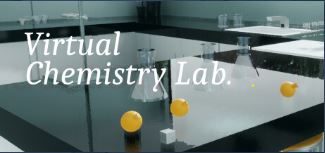
A solo-developed "serious game" for high school chemistry, covering 13 experiments across point-and-click and physics-based VR modes. Built with an explicit mission: give every student access to a chemistry lab, regardless of whether their school has one.

๐Ÿ’ป Steam (PC VR) ๐ŸŽฎ Keyboard & Mouse + VR ๐Ÿง‘โ€๐Ÿ’ป Solo indie developer ๐Ÿšง Early Access
๐Ÿ’ป PC VR & Desktop Only โ€” Not available on Meta Quest โ€” Virtual Chemistry Lab is a Steam application for Windows PC. It supports PC VR headsets (Oculus Rift, HTC Vive, Windows Mixed Reality) via SteamVR, and also runs in desktop mode with keyboard and mouse. It is not available as a standalone Meta Quest app and cannot be sideloaded onto Quest without a connected PC.
โš ๏ธ Development appears dormant โ€” The last developer update on Steam was recorded as more than 24 months ago. The app remains in early access and the developer's stated timeline for completion has passed. The core experience is playable, but planned features including a full task system and complete curriculum coverage may not be delivered. Proceed with that context in mind.
Overview

What Is It?

Virtual Chemistry Lab is a "serious game" developed entirely by a single independent developer, Alpay Akay, and released on Steam in early access in February 2023. It is designed specifically for high school chemistry students, with the explicit aim of covering the full high school chemistry curriculum through a combination of interactive experiments and physics-based VR simulations.

What makes this app philosophically distinctive โ€” and worth understanding โ€” is the developer's core motivation. Alpay Akay explicitly designed Virtual Chemistry Lab to address educational inequality: the recognition that VR hardware is expensive and inaccessible in many countries, and that a fully capable chemistry lab experience should be available to students regardless of whether their school can afford specialist equipment. The app therefore runs on keyboard and mouse as well as in VR, making it accessible to any student with a basic PC.

The scope is ambitious for a solo project: 13 experiments spanning both point-and-click and physics-based interaction modes, covering topics from across the high school chemistry curriculum, with trial-and-error mechanics that allow mistakes to produce realistic outcomes.

How It Works

Two Modes, Thirteen Experiments

The app is structured around two distinct interaction modes, which also serve the developer's accessibility mission โ€” the point-and-click mode works with just a keyboard and mouse, while the physics-based mode is the VR experience.

๐Ÿ–ฑ๏ธ
Mode 1: Point & Click
7 interactive experiments using traditional keyboard and mouse controls. Designed so any student with a basic PC โ€” no VR headset required โ€” can access laboratory chemistry experiences. A circular interface menu appears on the screen for accessing instruments and operations.
No VR required Keyboard & Mouse 7 experiments
๐Ÿฅฝ
Mode 2: Physics-Based VR
6 experimental setups with physics-based interactions โ€” a more realistic, immersive experience where students physically assemble equipment and conduct experiments in 3D space. A tablet interface in VR is used to select materials. Experiments are driven by real mathematical formulas for accurate outcomes.
PC VR headset needed Physics simulation 6 experiments
๐Ÿ“ Mathematical accuracy. The physics-based mode runs experiments on real mathematical formulas, producing results closer to what a student would observe in a genuine lab. This is a meaningful commitment for a solo developer โ€” it means the data students collect is scientifically valid, not approximated.
Mission

The Accessibility Mission

Alpay Akay's stated goal deserves to be quoted directly: "My aim is to produce solutions where the possibilities offered by technologies such as VR, which are expensive for most countries, can be reached by wider audiences such as keyboards and mouse."

This is a genuinely unusual position in the VR education space. Most educational VR apps are built on the assumption that the hardware will be provided โ€” by a school, a library, or a parent. Virtual Chemistry Lab is explicitly designed for contexts where that assumption doesn't hold: students in countries where VR headsets are a luxury, students learning at home without school resources, and schools without the budget for physical lab equipment.

By supporting keyboard and mouse as a first-class input mode โ€” not just as a fallback โ€” the developer has made a deliberate choice to prioritise access over immersion. That choice has real consequences for who can use the app, and it's one worth understanding when deciding whether it fits your context.

Content

Chemistry Content & Topics

The stated scope covers the entire high school chemistry curriculum, though the early access state means not all content is yet complete. Current experiments span a range of standard secondary-level topics:

Chemical reactions Molecular structure Laboratory equipment Measurement instruments Experimental procedure Trial and error / inquiry Material identification Physics-based simulation
๐Ÿ“‹ Not yet complete. The developer originally planned for the full curriculum-covering experiment set to be complete within "1 to 2 years" of the February 2023 launch. With updates having stalled for over 24 months, the complete experiment library is not yet available. The 13 experiments that exist are playable but the full scope has not been delivered.
Honest View

A Candid Assessment

This review requires unusual candour. Virtual Chemistry Lab has a genuine and admirable educational mission, and a solo developer creating 13 chemistry experiments with real physics simulation deserves respect. But the current state of the project also needs to be stated clearly.

๐Ÿ”ด
Development appears dormant. Steam reports no developer updates for over 24 months. The app launched in early access in February 2023 with a stated timeline of 1โ€“2 years to completion. That window has passed without the full curriculum being delivered. This is a significant consideration when deciding whether to invest class time or budget.
๐Ÿ”ด
PC VR only โ€” not Meta Quest standalone. Schools running Quest fleets cannot use this app without a connected Windows PC and SteamVR. The XR School's original page listed Oculus Rift and HTC Vive, which are tethered PC VR headsets. If your school's headsets are standalone Meta Quest devices, this app is not directly accessible without additional PC hardware.
โš ๏ธ
Solo developer โ€” inherent limitations. Building 13 experiments, two interaction modes, physics simulation, and a full high school curriculum as a single independent developer is extraordinarily ambitious. The gap between the stated vision and what has been delivered is not a failure of intent but a reflection of those resource constraints.
โœ…
The accessibility mission is genuinely important. The keyboard-and-mouse mode means any student with a basic PC can run this โ€” no headset, no school lab, no specialist equipment. For students in under-resourced settings, this is a meaningful option that the Quest-only apps reviewed elsewhere on this site cannot match.
โœ…
Trial-and-error with realistic consequences. Like VLab Education, mistakes produce accurate outcomes rather than triggering a reset. This is a sound pedagogical decision shared with professional chemistry simulators โ€” the scientific process involves error, and students should experience that.
Context

Where This Fits in the Chemistry VR Landscape

Virtual Chemistry Lab occupies a different niche from the other chemistry apps reviewed on this site. Tablecraft is a sandboxed periodic table game, VLab Education is a free Quest lab simulator by practising chemists. Virtual Chemistry Lab is a PC application with a desktop-first design philosophy.

Its most natural use case is as a home study tool โ€” particularly for students in lower-resourced educational settings who don't have access to a school chemistry lab at all, or for independent learners working outside a traditional school environment. The keyboard-and-mouse mode makes it accessible on any modest Windows PC without any specialist hardware investment.

For UK schools with Meta Quest headset fleets, Tablecraft or VLab Education will be more practical choices. For contexts where PC access is the reality and Quest hardware isn't available, Virtual Chemistry Lab is worth awareness โ€” provided the current development pause is understood.

Our Verdict

XR School Scores

Educational Intent 8 / 10
The design philosophy is sound: curriculum-aligned, trial-and-error mechanics, physics-based simulation with real formulas, and explicit accessibility goals. The intent is strong โ€” the delivery is constrained by solo development resources.
Completeness & Reliability 4 / 10
Early access, last updated over 24 months ago, planned features undelivered. This is the most significant reservation about the app and it is difficult to score higher given the uncertain development status.
Accessibility 9 / 10
Keyboard-and-mouse mode means any Windows PC can run this. No headset required for 7 of the 13 experiments. This is the app's strongest differentiator versus Quest-only alternatives.
Classroom Fit (UK Quest schools) 3 / 10
Not standalone Quest compatible. Requires Windows PC + SteamVR for VR mode. For schools running Quest fleets, this is a practical barrier that makes other apps the better choice.
Value for Money 7 / 10
Available on Steam at a low price point for an educational product (check current pricing on Steam). Given the early access status and development pause, buyers should set expectations accordingly.
Bottom Line

Virtual Chemistry Lab is a solo passion project with an admirable educational mission โ€” building chemistry lab access for every student regardless of what equipment their school has. The keyboard-and-mouse mode is a genuinely meaningful accessibility feature that distinguishes it from every other app in this chemistry series. But it is an early access application on Steam whose development appears to have stalled, with planned curriculum content undelivered and no recent updates. For UK schools with Meta Quest headsets, Tablecraft or VLab Education are more practical and actively maintained alternatives. For educators working in lower-resourced settings where PC access is more realistic than VR hardware, Virtual Chemistry Lab deserves awareness โ€” but go in with clear eyes about its current state.

Quick Facts
Platform Steam (PC only)
Developer Alpay Akay (solo)
Launch Feb 2023 (Early Access)
Last update 24+ months ago
VR support Oculus Rift, HTC Vive, WMR
Non-VR mode Yes โ€” KB & Mouse
Experiments 13 (7 P&C + 6 VR)
Meta Quest Not compatible
Curriculum Fit
Best fit for PC-based learning. Quest schools should use Tablecraft or VLab Education instead.
GCSE Chemistry โ˜…โ˜…โ˜…โ˜†โ˜†
KS3 Chemistry โ˜…โ˜…โ˜…โ˜†โ˜†
Home Study / Independent โ˜…โ˜…โ˜…โ˜…โ˜†
Low-resource schools โ˜…โ˜…โ˜…โ˜…โ˜…
Quest-fleet schools โ˜…โ˜†โ˜†โ˜†โ˜†
๐Ÿฅฝ Have Meta Quest headsets?

If your school runs Quest headsets, these alternatives are directly compatible and actively maintained:

Get Virtual Chemistry Lab
๐ŸŽฎ Steam Store โ†’
Requires Windows PC ยท SteamVR for VR mode
Review by The XR School ยท Chemistry ยท Science