
Languages

VirtualSpeech

The XR School › Languages › VirtualSpeech
Free app • Account required VirtualSpeech AI roleplays • Presentations • Interviews Meta Quest • Mixed reality
Released 11 March 2021 • Winner, Best Use of VR in Education and Training, VR Awards • Multiplayer for up to 6 learners

VirtualSpeech

Practise a presentation in front of a virtual audience, face a job interview panel or rehearse a difficult conversation with an AI character, then get a scored report and a debrief from an AI coach. VirtualSpeech is a professional soft skills platform that also gives students a safe, repeatable way to build speaking confidence.

Developer: VirtualSpeech
Price: Free download • Organisation account
Platform: Meta Quest 2, 3, 3S, Pro
Subject: Oracy • Careers • Communication
7.6
/10
XR School Score
Recommended
Realistic speaking practice • AI feedback on eye contact and delivery • Interview practice • Up to 6 learners together • Built for organisations • English only
3.7 • Meta store 114 ratings
VR Awards winner
Overview

VirtualSpeech is a virtual reality and AI training platform for communication skills, released on Meta Quest on 11 March 2021. It has won Best Use of VR in Education and Training at the VR Awards, and it is used by organisations for staff training, careers programmes and employability courses. The app is free to download, but it is built for organisations: you sign in with a VirtualSpeech account set up by your school, college or employer.

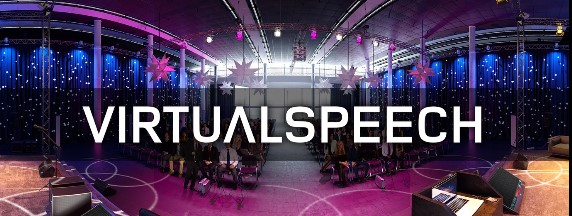
Inside the headset you can practise presentations in settings that range from a small meeting room to a conference stage, prepare for job interviews and role play conversations with AI characters, such as giving feedback, handling a performance review or managing a difficult discussion. After each session you receive a scored report covering things like eye contact and body language, can play your session back, and debrief with an AI coach called Hugh.

A Safe Place to Be Nervous Speaking in public is one of the most common fears there is, and the only real cure is practice. VirtualSpeech gives students an audience that feels real enough to raise their heart rate, but with no classmates watching and no consequences. They can try again as many times as they like, and the feedback shows exactly what to work on, such as looking at the audience rather than their notes.
What Students Can Practise
🎤
Presentations
Rehearse a talk in rooms from a small meeting to a large conference stage.
💼
Job interviews
Practise answering questions for careers and employability programmes.
🤖
AI roleplays
Hold realistic conversations with AI characters who respond to what you say.
📊
Feedback
Scored reports, session playback and a debrief with the AI coach.
Set Up Through Your School Because VirtualSpeech is organisation based, a teacher or IT lead needs to set up an account before students can use it. It supports device management for deploying to a fleet of headsets, custom roleplays for your own scenarios and skills reporting. It needs an internet connection and works in English only. Contact VirtualSpeech for education pricing.
VR Practice vs Classroom Practice
Feature
VirtualSpeech
In front of the class
Pressure
Realistic but private
Real and public
Feedback
Instant, scored, with playback
From teacher and peers
Repetition
Unlimited attempts
Limited by lesson time
Best for
Building confidence and habits
The real performance
Classroom Value
Speaking confidence
8.8
Quality of feedback
8.2
Careers value
8.5
Ease of setup
5.5
User ratings
6.8
Strengths and Limitations
Strengths
  • Realistic audiences and interview panels
  • AI characters for conversation practice
  • Scores eye contact and body language
  • Session playback and AI coach debrief
  • Multiplayer sessions for up to 6 learners
  • Mixed reality mode places characters in your room
  • Award winning, rated for everyone
Considerations
  • Needs an organisation account to use
  • Pricing not published on the store
  • Internet connection required
  • English only
  • Designed for adults, so some scenarios are workplace based
  • Mixed user rating (3.7 from 114)
For Teachers: Ideal for Oracy and Careers VirtualSpeech fits the GCSE English Language spoken language endorsement, debating and oracy programmes, and careers education, especially mock interviews for sixth formers applying for university, apprenticeships or jobs. Let students rehearse in VR first, review their scores and playback, then deliver to the class. It is also valuable for anxious students and EAL learners who need extra low pressure practice before speaking in public.
Free app
Meta Quest 2, 3, 3S and Pro • Organisation account required • Education pricing on request
Get on Meta Quest → More language apps →
Quick Facts
Developer
VirtualSpeech
Quest release
11 March 2021
Price
Free download • Organisation account
Headsets
Meta Quest 2, 3, 3S, Pro
Rating
3.7 from 114 ratings
Modes
Single player • Multiplayer up to 6 • Mixed reality
Award
Best Use of VR in Education and Training, VR Awards
Language
English
Internet
Required
Age rating
Everyone
Verdict
VirtualSpeech is one of the most practical uses of VR in education: a private, repeatable place to practise speaking, with clear feedback after every attempt. Its interview and presentation practice is especially valuable for sixth formers preparing for life after school. It is designed for organisations, so it needs an account, setup and an education quote, and it is English only. For schools serious about oracy and careers, it is well worth exploring.