
FreeLanguages

Spatial Lingo: Language Practice

The XR School › Humanities › Languages › Spatial Lingo
taza
Free • No ads Made by Meta • Open source Mixed reality • AI feedback Meta Quest 3 • Quest 3S
Meta • Built by Magnopus • Released December 2025 • English or Spanish • Passthrough camera + Llama AI

Spatial Lingo

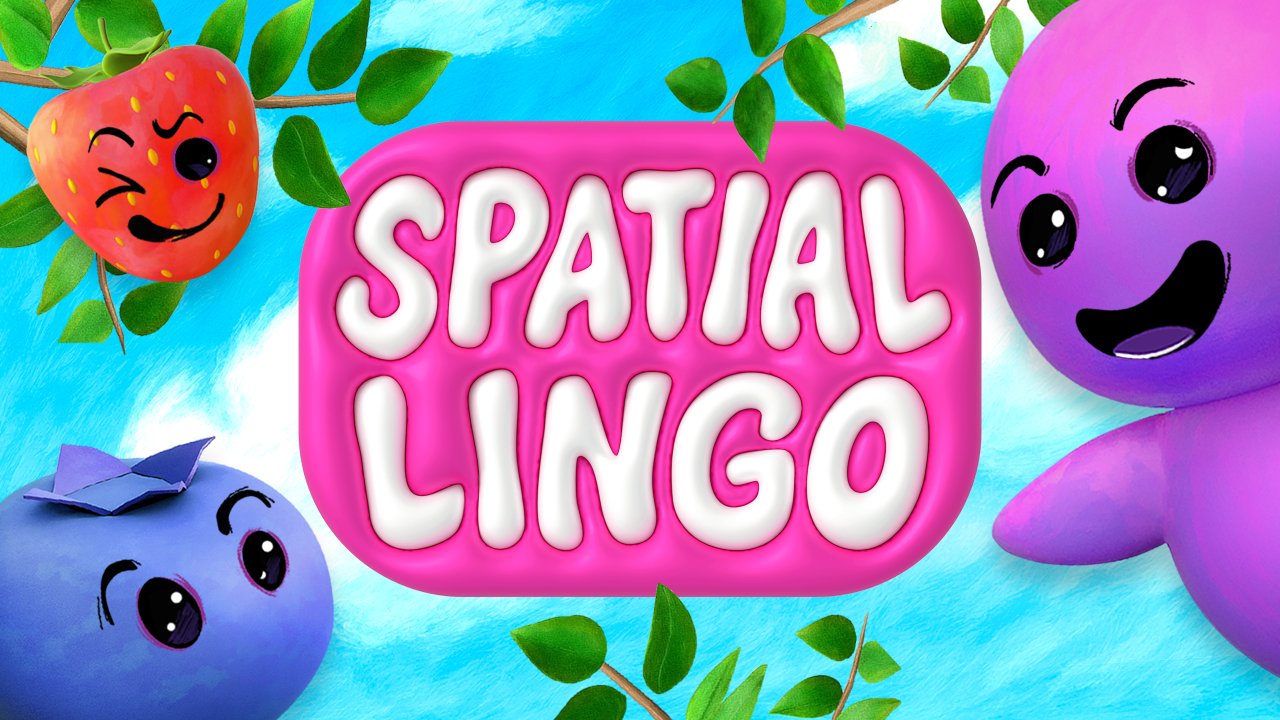
Look at the mug on your desk and the word taza appears floating above it. Spatial Lingo uses your Quest’s cameras to recognise the real objects in your room, labels them in your target language, and asks you to say sentences out loud while a cheerful guide called Golly Gosh checks how you did. It is free, it is genuinely clever, and it is the clearest glimpse yet of where mixed reality language learning is heading.

Developer: Meta (Oculus DevTech Samples) • Magnopus
Price: Free
Platform: Meta Quest 3 • Quest 3S
Languages: Practise English or Spanish
6.4
/10
XR School Score
Worth Exploring
Free • Your own room becomes the lesson • AI checks your spoken sentences • Great for beginner vocabulary • Only two languages • Horizon Store listing is US only • Needs internet
Free • Open source Meta showcase app
Quest 3 and 3S only
Overview

Spatial Lingo: Language Practice is a free mixed reality app published by Meta and built for it by the immersive studio Magnopus. It arrived on the Meta Horizon Store on 17 December 2025, and in January 2026 Meta released its full source code on GitHub under the MIT licence. Meta describes it as a showcase app: a working example of what developers can build by combining the Quest’s passthrough cameras with on‑device object detection and a large language model. That dual purpose matters, because Spatial Lingo is both a learning app you can use today and a template other developers are already building on.

The idea is simple and instantly understandable. Instead of placing you inside a virtual restaurant or train carriage, as Mondly VR does, Spatial Lingo keeps you in your own room. The headset recognises everyday objects around you, such as a chair, a cup, a laptop or a plant, and floats translated labels above them. You then practise using those words in speech, and an AI evaluates whether you used them correctly.

Why Learning in Your Own Space Matters Linking new vocabulary to physical objects you can see and touch is a well established memory technique, the same principle behind teachers labelling classroom furniture in the target language. Spatial Lingo automates it. Because the words are attached to things you see every day, the vocabulary is immediately useful and easy to revisit. Reviewers who have tried it consistently pick out this “floating label” effect as the moment the concept clicks.
How a Session Works
🌳
1. Plant Your Language Tree
The app scans your room and anchors a persistent Language Tree in an open space. It grows as you complete lessons, giving a visible record of progress.
🔍
2. Spot Real Objects
The passthrough cameras and an on‑device detection model pick out common household objects in real time and pin them in space.
☁️
3. Explore the Word Cloud
For each object the AI generates a cloud of related nouns, adjectives and verbs in your target language, so “cup” can lead to “hot” and “to drink”.
🗣️
4. Speak and Get Feedback
You say a sentence using the words. Golly Gosh, the app’s purple guide, checks your usage and conjugation, gives encouragement, and you earn berries for the tree.

Golly Gosh speaks the target language aloud, so you hear correct pronunciation before you attempt it yourself. The evaluation goes beyond single word recognition: Meta says the AI checks whether the target words are used correctly, including verb conjugation and basic sentence structure. The default setup practises Spanish, and the app can also be used to practise English, which makes it relevant to learners of English as an additional language as well as Spanish students.

Best As a Beginner Vocabulary Builder Spatial Lingo is strongest at the very start of the learning journey: common nouns, simple adjectives and first verbs, practised out loud with forgiving, encouraging feedback. Reviewers are clear that it is not a route to fluency on its own. There are no extended conversations, no grammar progression and no cultural content. For a learner at A1 level, or a younger student meeting Spanish for the first time, that is fine. For anyone beyond the basics, Mondly VR or IMMERSE will offer more.
The Technology Inside
Passthrough Camera APIYOLO object detectionUnity Sentis (on‑device AI)Llama 4 MaverickMeta Voice SDKMixed Reality Utility KitInteraction SDKHands or controllersMIT licence

Object detection runs on the headset itself, using a YOLO model trained on a standard dataset of everyday object types. Cropped images of detected objects are then sent to Meta’s Llama API, which generates the vocabulary, translates it and judges your spoken answers. Speech is transcribed and Golly Gosh’s voice is synthesised with Meta’s Voice SDK. The practical consequence is that the app needs an internet connection throughout, and that it recognises common household items far more reliably than specialist or unusual objects.

Spatial Lingo vs Mondly VR
Feature
Spatial Lingo
Mondly VR
Cost
Free
One‑time purchase
Languages
2 (English, Spanish)
30
Setting
Your real room (mixed reality)
Virtual scenes (restaurant, train, hotel)
Speaking practice
AI judges your own sentences
Scripted dialogue with characters
Best level
A1 beginner vocabulary
A2 and above
Headsets
Quest 3 and 3S only
All Quest models and PSVR
Store availability
US users only
Worldwide

The two complement each other well. Spatial Lingo builds the first layer of everyday vocabulary in a setting the learner already knows; Mondly VR then puts that vocabulary to work in simulated real world situations.

Curriculum Value
Innovation and engagement
9.0
Beginner accessibility
8.0
Speaking and pronunciation
6.8
Depth of content
4.0
Language breadth (2 langs)
2.5
Strengths and Limitations
Strengths
  • Completely free, with no ads or in‑app purchases
  • Labels real objects in your own room, a strong memory aid
  • AI checks full spoken sentences, not just single words
  • Golly Gosh models pronunciation and keeps feedback encouraging
  • Language Tree gives younger learners a visible reward
  • Works with hand tracking or controllers
  • Comfortable for all users: no artificial movement
  • Open source, so schools and developers can study or adapt it
Considerations
  • Only English and Spanish at present
  • Horizon Store listing is for US users only
  • Quest 3 and 3S only: no Quest 2 or Quest Pro support
  • Needs a constant internet connection
  • Beginner vocabulary only, no structured course
  • Single player, and needs some clear floor space
  • Very few store ratings so far (around 2.6/5 from 5)
For Schools: Check Availability and Data Use First Two practical points before planning lessons. First, Meta states that the Horizon Store version is available to US users only, so UK schools and families may not see it in the store at all. Technically confident schools can build the app themselves from the open source code, but that requires Unity and a Llama API key. Second, the app sends cropped camera images and voice recordings to Meta’s cloud AI to work. The open source version includes face blurring, but any school should run it through its usual data protection checks before using it with pupils, and should use it in a space without personal information on view.
Free
Meta Quest 3 and 3S • Horizon Store (US) • Source code free on GitHub
Get on Meta Quest → Open source code →
Quick Facts
Developer
Meta (Oculus DevTech Samples) • built by Magnopus
Released
17 December 2025 • open sourced January 2026
Price
Free • no ads
Platform
Meta Quest 3 • Quest 3S
Practise
English or Spanish
Type
Mixed reality (passthrough) • single player
Input
Hands, controllers and voice
Comfort
Comfortable • room scale
Internet
Required
Download size
About 0.5 GB
Best level
A1 beginner vocabulary
Verdict
Spatial Lingo is one of the most imaginative language apps on Quest, and it costs nothing. Seeing Spanish words appear over the things in your own room is a genuinely memorable way to build first vocabulary, and having an AI check your spoken sentences adds real speaking practice. It is narrow, though: two languages, beginner content only, Quest 3 and 3S only, and a store listing limited to the US. Treat it as a brilliant free taster and a sign of where language learning in mixed reality is going, then move on to Mondly VR or IMMERSE for deeper practice.