
Languages

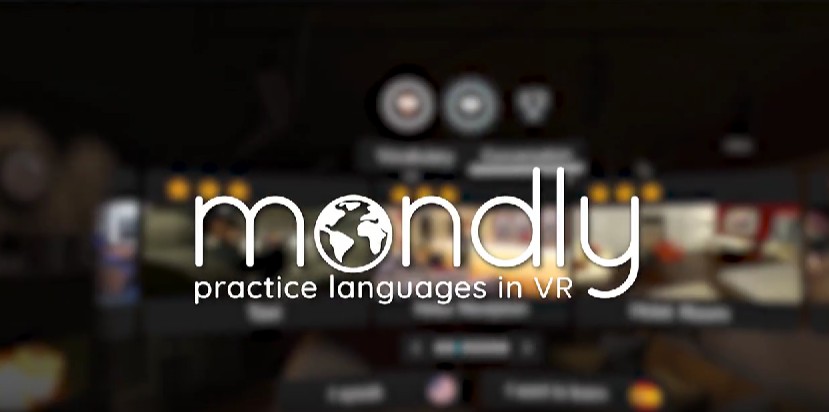
Mondly practice languages in VR

The XR SchoolHumanitiesLanguages › Mondly VR
One-time purchase • No subscription Mondly by Pearson 30 VR languages • 125M+ global users Meta Quest (all) • PSVR
ATi Studios • Romania • Acquired by Pearson 2022 • 4.2/5 • ~2,500 Meta reviews • Speech recognition • Real-world scenarios

Mondly VR

Step into a French restaurant, board a train to Berlin, or check into a Parisian hotel — and speak the language to get through it. Mondly VR places you in lifelike scenarios with realistic characters and uses speech recognition to give instant pronunciation feedback. Thirty languages, one-time purchase, backed by Pearson. The accessible, no-subscription entry point to VR language practice.

Developer: ATi Studios (Romania) • Mondly by Pearson
Price: One-time purchase (no subscription)
Platform: Meta Quest (all models) • PSVR
Languages: 30 (in VR) • All major + many less common
7.0
/10
XR School Score
Recommended
One-time purchase (no subscription) • 30 languages • Real-world scenario dialogues • Speech recognition • 4.2/5 from ~2,500 Meta reviews • Limited for complete beginners • Scripted conversations
4.2/5 • ~2,500 reviews 30 VR languages • One-time cost
Mondly by Pearson
Overview

Mondly VR was developed by ATi Studios, a Romanian company founded in 2014 by brothers Alex and Tudor Iliescu, and is now published under the Mondly by Pearson brand following its acquisition by the global education company Pearson in April 2022. Pearson paid a reported $80 million for the acquisition, integrating Mondly into its consumer language learning portfolio alongside its wider educational publishing operation. The broader Mondly platform has attracted over 125 million users across its mobile and web products; the VR app specifically has accumulated approximately 2,500 reviews on Meta at a rating of around 4.2 out of 5.

The VR experience centres on scenario-based dialogue practice. You are placed inside a realistic virtual setting — a train compartment, a restaurant, a hotel lobby, a taxi, a shop — and engage in scripted conversations with lifelike non-player characters. The app listens to your spoken responses using speech recognition and provides instant feedback on pronunciation accuracy, vocabulary prompts, and contextual corrections. The goal is not to teach language from scratch but to practise it: to put the vocabulary and grammar knowledge you already have under the pressure of a realistic social situation where you must produce speech and be understood.

The One-Time Purchase Is the Defining Commercial Differentiator In the VR language learning space, Mondly VR's one-time payment model stands out. IMMERSE, the other language platform reviewed on this site, operates on a subscription of $15–$35 per month. Mondly VR's one-time purchase (around $9.99–$12.99 on the Meta Quest store) requires no ongoing commitment. For a school deploying headsets for occasional VR language sessions rather than a sustained daily programme, this removes the budget management burden of a subscription entirely. One purchase per headset, permanently available. This is a meaningful practical advantage for schools with limited technology budgets or infrequent VR deployment schedules.
Scenarios and How They Work
🚗
Train to Berlin
Strike up a conversation with a fellow traveller on a European train. Practise casual introductions, travel vocabulary, and the social language of getting acquainted.
🍴
Spanish Restaurant
Order a meal, ask about the menu, and navigate the social choreography of dining out in the target language. Food vocabulary, politeness registers, and transaction phrases.
🏢
Hotel Check-In (Paris)
Handle a realistic hotel arrival scenario in French: checking in, asking about facilities, and managing the kind of transactional conversation that travellers actually encounter.
🚚
Taxi Ride
Navigate the brief, purpose-driven conversation of a taxi journey: destination, route, small talk, and payment. Practical survival language in a realistic context.

In each scenario, the NPC character initiates dialogue and waits for the player's spoken response. The app's speech recognition engine analyses the spoken input, compares it to the expected response, and provides feedback on pronunciation accuracy. Correct responses advance the conversation; vocabulary prompts are available if needed. The conversations are scripted rather than open-ended, which means the app guides you through a curated dialogue path rather than allowing free-form conversation — an important distinction from AI conversation partners like those in IMMERSE.

Best For Practising a Language You Already Know The community consensus across Meta and SideQuest reviews, consistently reflected in user feedback, is that Mondly VR works best as a practice tool for learners who already have some foundation in the target language, rather than as a starting point for beginners. Users frequently describe it as an excellent way to build confidence speaking a language they have been studying on the flat-screen Mondly app or in class, but note that the scripted conversation structure and the assumption of some prior vocabulary make it difficult for complete beginners to follow, particularly in languages with different writing systems like Japanese. For MFL teachers, this positions it ideally as a supplement to classroom teaching for students at A2 level and above, rather than as an introductory tool.
30 Languages Available in VR
SpanishFrenchGermanItalianPortuguese (BR)JapaneseKoreanChineseArabicRussianDutchPolishSwedishNorwegianDanishFinnishGreekTurkishHindiHebrewIndonesianVietnameseThaiRomanianHungarianCzechCroatianUkrainianEnglish (UK/US)

This is the broadest language selection of any VR language tool reviewed on this site, covering all major curriculum languages (French, German, Spanish, Italian, Mandarin, Japanese) alongside many less common options including Thai, Danish, and Vietnamese. For a school with diverse MFL provision, this breadth means one app covers multiple department needs.

Mondly VR vs IMMERSE: Choosing the Right Tool
Feature
Mondly VR
IMMERSE
Cost model
One-time purchase
$15–$35/month
Languages (VR)
30
4 (EN/ES/FR/PT)
Live instruction
No
Yes (Pro plan, 7 days/wk)
AI conversation
Scripted NPC only
Adaptive AI partners 24/7
Multiplayer
No
Yes (global community)
Research base
Limited
20+ university partners
Best for
A2+ practice supplement
Sustained fluency building
Best fit
Occasional sessions, many languages
Regular programme, 4 languages

Both tools serve different schools in different contexts. Mondly VR is the right choice when budget is limited, language provision is broad, or VR deployment is occasional and supplementary. IMMERSE is the right choice when a school wants a sustained, research-backed conversational fluency programme and can manage the subscription cost.

Curriculum Value
Language breadth (30 VR langs)
9.6
Speaking / pronunciation practice
7.8
Value for money (one-time)
8.8
Beginner accessibility
4.8
Conversation depth / flexibility
4.6
Strengths and Limitations
Strengths
  • One-time purchase — no subscription, no ongoing budget commitment
  • 30 languages in VR — broadest selection reviewed on this site
  • All major curriculum MFL languages covered (FR, DE, ES, IT, ZH, JA)
  • Backed by Pearson — major educational publisher with learning science teams
  • 4.2/5 from ~2,500 Meta reviews — well-established community
  • Real-world scenario contexts (restaurant, hotel, train, taxi)
  • Instant speech recognition feedback on pronunciation
  • Low-pressure environment for shy or anxious speakers
  • Meta Quest all models + PSVR
  • Connects with Mondly mobile app for blended learning
Considerations
  • Not suitable for complete beginners — best at A2 level and above
  • Scripted conversations — no free-form or adaptive dialogue
  • Speech recognition errors reported, particularly for accents
  • Some translation accuracy concerns flagged by native speakers
  • NPC voice quality described as robotic by some users
  • Limited ability to repeat phrases before advancing
  • No multiplayer or live instruction
  • No community or social learning dimension
Speech Recognition: Test Before Deploying With Students Multiple community reviewers note that the speech recognition engine misunderstands input, particularly from non-native speakers with accents different from the training data, and from speakers in environments with background noise. For a classroom setting where ambient noise is higher than a quiet home, this risk is elevated. Teachers should test the speech recognition performance on their specific headsets in their specific space before planning sessions that depend on accurate pronunciation feedback. The feedback mechanism is the core educational value of the app; if it is unreliable in your environment, the experience is reduced to guided listening rather than speaking practice.
One-time purchase
Meta Quest (all models) • PSVR • Check current price on Meta store
Get on Meta Quest → Mondly by Pearson site →
Quick Facts
Developer
ATi Studios (Romania) • Mondly by Pearson
Acquired by Pearson
April 2022 (~$80M reported)
Price model
One-time purchase (no subscription)
Platform
Meta Quest (all models) • PSVR
VR languages
30 (all major MFL + less common)
Meta rating
4.2/5 from ~2,500 reviews
Global users
125M+ (all Mondly products)
Interaction
Scripted NPC dialogue + speech recognition
Best level
A2 and above (some prior vocabulary needed)
Multiplayer
No • Single player only
Verdict
Mondly VR is the most accessible, lowest-commitment VR language tool reviewed on this site. The one-time purchase removes the subscription barrier that limits IMMERSE for many school budgets, and the 30-language breadth means a single app covers an entire MFL department's curriculum needs. For students at A2 level and above, the real-world scenario dialogues and speech recognition feedback offer a genuinely useful practice environment that no flat-screen app can replicate. The honest limitations — scripted conversations, speech recognition reliability, and limited beginner accessibility — mean it works best as a supplement to classroom teaching rather than a standalone learning tool. Test the speech recognition in your deployment environment before planning speaking-focused sessions.