
Astronomy

Star Chart VR

The XR SchoolScienceAstronomy › Star Chart VR
Rigel
30M+ downloads (all platforms) $9.99 Steam PC VR only (SteamVR) Steam: Mixed • 45% positive (22 reviews)
Escapist Games Ltd • Escape Velocity Limited • Released 2016 • 30M+ across all platforms • Real-time solar system • 88 constellations • GPS sky view

Star Chart VR

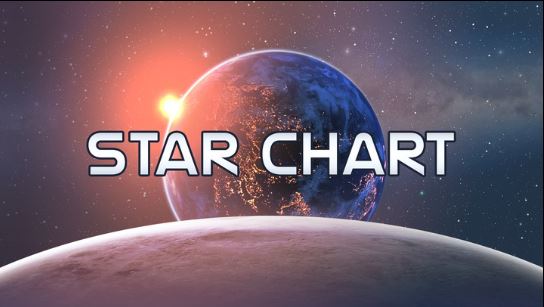
Step into your own virtual planetarium. Star Chart VR places you at the centre of an accurate real-time simulation of the solar system and night sky, with 88 constellations drawn from 17th-century astronomer Johannes Hevelius, GPS-based sky view from your exact location on Earth, and the ability to travel out to the farthest reaches of Pluto and beyond. The mobile Star Chart is downloaded by over 30 million people worldwide. The Steam VR version carries a caveat.

Developer: Escapist Games Ltd • Escape Velocity Limited
Price: $9.99 (Steam)
Platform: PC VR (SteamVR / Oculus Rift)
Steam rating: Mixed • 45% of 22 reviews
Steam VR version: Mixed rating (45% positive). Star Chart is enormously successful as a mobile and desktop app with 30M+ downloads, and the concept is excellent for astronomy education. The Steam PC VR version specifically carries a Mixed rating from a small pool of 22 reviewers, with common criticisms around feature limitations versus the mobile version and the 2016 vintage. Schools should be aware this is a supplementary experience rather than a primary astronomy tool, and that Titans of Space Plus (reviewed separately in this section) offers a more immersive and better-reviewed standalone exploration experience.
6.0
/10
XR School Score
Cautiously Recommended
Excellent concept • Accurate real-time simulation • 88 constellations • GPS sky view • Steam Mixed 45% (22 reviews) • PC VR only • 2016 vintage • Mobile version far more developed
30M+ downloads (mobile) Steam VR: Mixed (45% of 22)
PC VR only • 2016 vintage
Overview

Star Chart began as a mobile astronomy app and grew into one of the most widely used stargazing tools in the world, with over 30 million downloads across iOS, Android, and other platforms. The concept is straightforward and compelling: hold your phone up to the sky and see which stars, planets, and constellations are in that direction, identified in real time by the app's GPS and compass integration. That version of Star Chart is excellent. The Steam VR version, released in September 2016, brings the same database and simulation into an immersive virtual planetarium environment — and it is a meaningfully different product in terms of maturity and feature completeness.

In VR, Star Chart places users at the centre of the solar system with the ability to look in any direction at an accurate real-time sky, zoom in on individual planets, travel through the solar system by pointing and moving, and activate constellation overlays drawn from the historical artwork of Johannes Hevelius. The GPS-based Sky View mode recreates the actual night sky visible from the user's location at any given moment. The educational potential is genuine: few tools make the scale, structure, and real-time dynamics of the solar system as immediately accessible as this one does.

The Concept Is Right for Astronomy Education The case for using Star Chart VR in an astronomy lesson is strong in principle. Standing inside the solar system and being able to look in any direction at labelled stars and constellation patterns, then reaching out and travelling toward Saturn or Pluto, gives students a spatial and scale intuition about the universe that a classroom diagram or planetarium video cannot. The real-time simulation means the sky students see in VR is the sky they could step outside and look at tonight, which creates a direct connection between the VR experience and the observable world. The Hevelius constellation artwork is historically interesting in itself.
Features
Real-Time Sky Simulation
Stars and planets shown in their actual current positions. The sky in VR matches what you'd see standing outside at this moment, updating in real time.
🌐
3D Solar System Exploration
Travel from the Sun to Pluto, exploring planets and major moons in three dimensions. Scale and distance are represented accurately, which is itself a striking lesson.
📍
GPS Sky View Mode
Recreates the exact night sky visible from your location on Earth. Particularly useful for linking the VR experience to real-world stargazing sessions.
88 Constellations
All 88 IAU constellations illustrated using the artwork of 17th-century astronomer Johannes Hevelius, giving the constellation overlays genuine historical and artistic character.
🎲
Detailed Planet Surfaces
IAU-named surface features on rocky planets. Approach Mars and see Olympus Mons and Valles Marineris labelled at the correct locations.
🗣
Non-VR Desktop Mode
The experience is playable on a standard monitor without a VR headset, extending its classroom accessibility to schools without PC VR setups.
The Steam VR Rating: What It Means for Schools

The Steam Mixed rating (45% positive from 22 reviews) requires honest interpretation. With only 22 reviews, the sample is small enough that a few negative experiences significantly move the percentage. The negative reviews reflect two main themes: the VR version feels feature-limited compared to the mobile app, which has had years of additional development, and the experience has not been substantially updated since 2016.

Neither of these criticisms means the experience is broken or educationally useless — the core simulation remains accurate, the constellation overlays work, and the solar system is traversable. But they do flag that this is not a polished, regularly maintained product, and that schools expecting the full richness of the mobile Star Chart will find the VR version more basic. The desktop/non-VR mode works and is usable in classroom projection settings.

Titans of Space Plus Is the Stronger Recommendation for VR Exploration If a school is choosing one VR astronomy exploration tool, Titans of Space Plus (reviewed separately in this section) scores 9.0 on The XR School — it is available on Meta Quest standalone, has an outstanding community rating, covers the solar system and beyond with a clear narrative structure, and is actively maintained. Star Chart VR is worth deploying as a supplementary tool, particularly for its GPS Sky View and real-time simulation features that Titans of Space Plus does not replicate. But as a primary experience, Titans of Space Plus is the more complete and reliable recommendation.
Star Chart VR vs Titans of Space Plus
Feature
Star Chart VR
Titans of Space Plus
Platform
PC VR only (SteamVR)
Meta Quest standalone + PC VR
Price
$9.99
~$9.99
Rating
Steam Mixed (45%, 22 reviews)
Steam 97% Very Positive (500+)
GPS sky view
Yes (real-time from location)
No
Constellation overlays
All 88 (Hevelius artwork)
Limited
Narrative structure
Free exploration only
Guided tour with commentary
Last updated
2016 (minimal updates)
Actively maintained
Best for
Stargazing, constellation study
Solar system scale, guided wonder

These tools are complementary rather than competing. A school with PC VR could use both: Star Chart for real-time sky identification and constellation study, Titans of Space Plus for immersive scale exploration with narration.

Assessment
Astronomical accuracy
9.2
Concept educational value
8.4
GPS & real-time features
8.0
VR community validation
3.8
Polish & maintenance (VR)
4.2
School deployment ease
4.4
Strengths and Considerations
Strengths
  • Real-time accurate solar system simulation — the sky matches tonight's actual sky
  • GPS Sky View mode creates direct link to real stargazing
  • All 88 IAU constellations (Hevelius historical artwork)
  • 30M+ mobile user base validates the core astronomy concept
  • Travel through the solar system — genuine spatial scale understanding
  • Desktop mode playable without VR headset (classroom projection)
  • 12 interface languages
Considerations
  • Steam Mixed rating (45% positive, 22 reviews)
  • PC VR only — not on Meta Quest standalone
  • Released 2016 — minimal updates since launch
  • Feature-limited vs the more developed mobile version
  • Titans of Space Plus is a stronger VR astronomy recommendation
  • No guided narrative or educational commentary
  • Small Steam review pool — limited community data
Best Use Case: Stargazing Preparation and Constellation Study Star Chart VR's strongest specific classroom use is preparation for real-world stargazing. Before a school astronomy evening or an outdoor observation session, students can use Star Chart VR to learn which constellations they will see, identify the planets visible at that time of year, and practise recognising patterns before standing under the actual sky. The GPS real-time simulation means what they see in VR is what they will see outside that evening. This direct connection between the virtual experience and the observable world is the feature that distinguishes Star Chart VR from more general space exploration tools.
$9.99 (Steam)
PC VR (SteamVR / Oculus Rift) • Also playable without headset on desktop • 12 languages
Get on Steam → Escapist Games (all versions) →
Quick Facts
Developer
Escapist Games Ltd
Publisher
Escape Velocity Limited
Price
$9.99 (Steam)
Platform
PC VR only (SteamVR)
Non-VR mode
Yes — desktop without headset
Steam rating
Mixed • 45% of 22 reviews
Released
September 2016
Global downloads
30M+ (all platforms combined)
Constellations
88 (Hevelius artwork)
Languages
12 interface languages
Best for
Stargazing prep • Constellation study
Verdict
Star Chart VR's concept is among the most naturally suited to astronomy education of any tool reviewed here: standing inside an accurate real-time simulation of the night sky, with the stars labelled and the constellations drawn in Hevelius's 17th-century style, is a genuinely different way to learn about the night sky than any flat-screen alternative. The GPS sky view directly supports real-world stargazing sessions. But the Steam VR version's Mixed rating, 2016 vintage, and limited updates temper the recommendation. Use it as a supplementary constellation study and stargazing preparation tool. For primary VR astronomy exploration, Titans of Space Plus is the more complete and better-validated recommendation. Both can coexist in a school astronomy programme that has access to PC VR.