
art

SculptrVR

The XR SchoolHumanitiesArt › SculptrVR
$9.99 ★ 88% Steam (Very Positive) 10,000x zoom • Scale yourself Multiplayer • Hang-gliders • Rockets
Greensky Games (Nathan Rowe) • 88% Steam positive, 81 reviews • Voxel sculpting • FBX/OBJ export • Gallery of community creations

SculptrVR

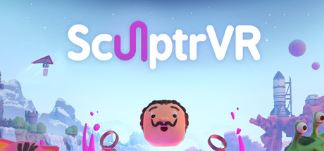
An infinite digital Play-Doh. Build anything from voxel blocks and sculpting tools, then scale yourself down to add microscopic detail, or scale up to reshape mountains. Play with friends via multiplayer — hang-glide over each other's creations, or blow up an hour's work with a rocket. Export to FBX or OBJ for 3D printing.

Developer: Greensky Games (Nathan Rowe)
Price: $9.99 (Meta Quest) • Low/free (Steam)
Platform: Meta Quest • Steam (PC VR)
Export: FBX • OBJ (3D print ready)
7.5
/10
XR School Score
Recommended
88% Steam Very Positive (81 reviews) • Infinite scale creativity • Multiplayer sculpting + chaos • FBX/OBJ export for 3D printing • No tutorial • "The VR future of Minecraft in schools"
88% Very Positive (81) Steam • $9.99 Meta Quest
"More interactive than Minecraft in schools"
Overview

SculptrVR was built primarily by Nathan Rowe under the Greensky Games label, with the application launching on Steam in 2016 and arriving on Meta Quest in 2019. The core proposition is the most elemental possible creative activity: here is a world of virtual material, now shape it however you like. The voxel-based sculpting approach (using volumetric pixels as building blocks, similar to Minecraft's cube world but with freeform sculpting rather than block placement) makes the creation process intuitive enough for a five-year-old but deep enough for an artist painstakingly recreating Vermeer's Milkmaid in three dimensions — a real example from the 6DOF reviewer's account.

The defining feature that separates SculptrVR from every other 3D sculpting tool in this category is scale. The application's 10,000x zoom allows the user to shrink themselves to microscopic size to add fine detail, or to expand to god-like scale to sculpt entire mountain ranges with broad gestures. The shift is instantaneous and the resulting sense of spatial scale is deeply VR-specific: the experience of standing inside your own sculpt and looking up at structures you just built with your hands has no equivalent in any other medium or software.

"People Always Talk About Minecraft in Schools. SculptrVR Points to an Even More Interactive Future" The 6DOF reviewer's observation deserves highlighting for school decision-makers: "People always talk about the educational possibilities of Minecraft in schools, but SculptrVR points to an even more interactive and involving virtual future." The comparison is apt. Both tools create open-world, block-based creative spaces for collaborative construction. SculptrVR adds direct spatial inhabitation (you are inside the creation at human scale), physical sculpting gestures (shape clay in your hands rather than click menu options), real-world material export (FBX/OBJ for 3D printing), and immediate multiplayer with the same frictionless social chaos that makes Minecraft compelling. The educational case for 3D design skills in DT, Computing, Art, and Architecture is significantly stronger when the tool also lets students hold their creation at scale in VR.
Key Features
🔬
10,000x Scale Range
Shrink to microscopic size to carve fine details, then expand to god-scale to reshape landscapes. No other VR sculpting tool offers this range in a single session.
🧹
Voxel Sculpting Tools
Add material, remove it, smooth it, paint it. The tactile chip-and-chisel feel of carving (with actual stone-chip particle effects and sound) is "delightfully tactile" per 6DOF.
🌍
Procedural Landscapes
Generate infinite terrain procedurally, then sculpt it. Dig underground (but not too deep). Mountains, plains, cavern systems all available as starting points.
🤝
Multiplayer Co-Creation
Build together in the same world, with full cross-play. The multiplayer extends to hang-gliding over each other's work and launching rockets that drill holes in landscapes.
📷
Community Gallery
Browse thousands of community-uploaded creations. Remix any of them. Upload your own. A living gallery of what the tool makes possible across all skill levels.
🛠
FBX & OBJ Export
Export finished creations to FBX or OBJ for 3D printing, further editing in desktop software, or sharing. Closes the VR-to-physical pipeline that other art apps leave open.
Curriculum Value
Design Technology / 3D design
8.8
Spatial thinking / scale concepts
9.0
3D print pipeline (export)
8.4
All-ages accessibility
8.6
Structured tutorial / guidance
2.4
No Tutorial: This Needs Teacher Framing or It Becomes Chaos 6DOF's reviewer is explicit: "There's no tutorial in SculptrVR. You're just left to dive in. For me that works fine, but I'm already conversant in some of the rules and tools of 3D modelling." For school deployment, this means the teacher needs to introduce the tool, demonstrate the core sculpting controls, and set a clear creative brief before students begin — otherwise, and particularly in multiplayer, the session risks becoming rocket-and-chaos rather than purposeful 3D design. The tool itself handles complete beginners well (a five-year-old successfully made Spider-Man's head on a first attempt, per the reviewer), but it needs human framing to translate that into curriculum value.
What Critics and Players Say
6DOF ReviewsEssential label
"SculptrVR proudly takes its place alongside Gravity Sketch and Tilt Brush as another essential creative app for the Quest... There's some lovely feedback when you are carving and creating — little chips of 'stone' chitter off as you carve, with appropriate sound effects. The whole thing is delightfully tactile."
6DOF Reviews (Minecraft comparison)Education angle
"People always talk about the educational possibilities of Minecraft in schools, but SculptrVR points to an even more interactive and involving virtual future." A friend uses it to recreate Vermeer's Milkmaid in 3D. The reviewer's five-year-old made Spider-Man's head on a first attempt.
Steam community (ongoing updates)Active developer
Unlike Kingspray, SculptrVR's developer Nathan Rowe has continued updating the application, with recent Steam patch notes covering input handling refactoring, multiplayer improvements, new reference image support, and a Quest 3 update.
Strengths and Limitations
Strengths
  • 88% Steam Very Positive (81 reviews)
  • 10,000x scale range — unique in the VR sculpting category
  • FBX/OBJ export for 3D printing and desktop software
  • Multiplayer co-creation with cross-play
  • Community gallery with thousands of remixable creations
  • Tactile voxel sculpting with stone-chip particle effects
  • Actively maintained — ongoing developer updates on Steam
  • All ages accessible — a five-year-old can use it immediately
Considerations
  • No tutorial — teacher must introduce tool and set brief
  • Multiplayer rockets/chaos needs supervision and clear structure
  • Voxel style less refined than Gravity Sketch for precision design
  • Steam review pool small (81) — limited external validation
$9.99
Meta Quest • Steam (PC VR, low/free)
Get on Meta Quest → Get on Steam →
Quick Facts
Developer
Greensky Games (Nathan Rowe)
Price
$9.99 (Meta Quest) • Low/free (Steam)
Platform
Meta Quest • Steam (PC VR)
Steam rating
88% positive • Very Positive (81 reviews)
Scale range
10,000x zoom (microscopic to mountain)
Export
FBX • OBJ (3D print ready)
Multiplayer
Yes (co-creation + hang-gliders + rockets)
Tutorial
None — teacher intro required
Ages
All ages
Verdict
The most educational 3D design tool in this Art category for schools already running or considering 3D printing. Infinite voxel Play-Doh with a 10,000x scale range, active developer, FBX/OBJ export, and multiplayer co-creation makes it a stronger educational proposition than it might first appear — the Minecraft comparison holds, and SculptrVR genuinely goes further in spatial immersion and physical output. The no-tutorial design demands teacher framing and a clear brief before students start, particularly in multiplayer where rocket-enabled chaos is a real risk. With that structure in place, SculptrVR is one of the most creatively open and curriculum-relevant tools in this entire Art section.