
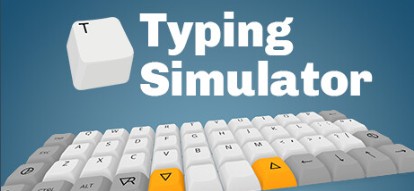
Typing Simulator
Typing Simulator
Learn to touch-type properly inside a VR headset — or without one. A frequency-based learning curriculum, adaptive performance tracking, speed tests with leaderboards, narrative mode, speedrunning challenges and a distraction-free writing mode. Built by RUST LTD (makers of H3VR) because no other typing tool did what they wanted. Early Access since May 2025.
Typing Simulator launched on Steam Early Access on 21 May 2025. The developer (RUST LTD) is open about their early access rationale: they want public feedback to discover which features users value most. The core typing functionality is in place, but new modes, features and refinements are being added based on community input. Check the Steam page for the current build state before purchasing.
What is Typing Simulator?
Typing Simulator is a VR (and non-VR) typing trainer developed by RUST LTD — the indie studio behind H3VR (Hot Dogs, Horseshoes & Hand Grenades), one of the most highly regarded VR sandbox games on Steam. The origin story is straightforward and honest: the team wanted to learn to touch-type properly, tried every existing typing app and game, found none of them did what they needed, so they built their own — and then decided to share it.
The core premise is that VR is actually a natural environment for learning touch typing: you can see a virtual keyboard at the correct angle and distance without looking down at your hands, the immersive environment can reduce distraction, and the gamification of speed tests, leaderboards and speedrunning creates genuine motivation to improve. The tagline — "Typing Simulator is not a game, it's the future" — is characteristically tongue-in-cheek from a developer known for its sense of humour.
A key accessibility feature: the game can be played without a VR headset — which means students who improve their typing in VR can continue practising on a standard desktop. It also means the software is usable without headset access at all, making it a practical classroom tool even when only some students have VR available.
What Does It Include?
What Does It Measure?
Typing Simulator tracks more than just words per minute — the full suite of metrics goes beyond what most typing apps bother to measure:
The RSI (repetitive stress injury) habit tracking is a notably responsible addition — flagging typing patterns that could lead to long-term hand and wrist problems. For students who will spend decades typing, early correction of damaging habits is genuinely valuable preventative health education.
School & Education Value
Touch typing sits naturally in the Computing curriculum at KS3 — where keyboard skills, digital literacy and efficient computer use are all relevant. The frequency-based learning approach means students make measurable progress quickly, which is important for maintaining engagement in a skill-building context. The non-VR mode makes it practical for standard ICT room sessions without headsets, while VR sessions can provide a motivating novelty boost for students who find traditional typing practice tedious. The distraction-free writing mode has natural appeal for English lessons. The RSI habit tracking is a useful cross-curricular link to PSHE and health education. Note: PC VR only — Quest users need a PC connection via Oculus Link.
RUST LTD is the indie studio behind H3VR (Hot Dogs, Horseshoes & Hand Grenades) — one of the most highly regarded and long-running VR sandbox games on Steam, built over many years with exceptional community engagement.
The team's reputation for responsive development, genuine player focus and long-term commitment to their projects makes Typing Simulator's Early Access status considerably less risky than an unknown developer's Early Access title.
| Platform | PC VR · Steam (+ non-VR) |
| Price | Check Steam |
| Developer | RUST LTD |
| Released | May 21, 2025 · Early Access |
| Non-VR | ✓ Playable without headset |
| Tracking | Local · adaptive per user |
| Workshop | ✓ Custom keyboards |
| Leaderboards | ✓ Daily + all-time |
| RSI tracking | ✓ |
| Best for | Computing · KS2–KS4 · English |