
FlyingSimulators

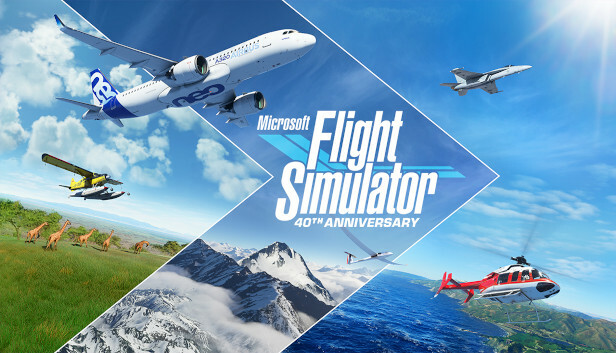
Microsoft Flight Simulator 40th Anniversary Edition

The XR School › Flying › Microsoft Flight Simulator 40th Anniversary Edition in VR
Paid • Free VR update Asobo Studio • Xbox Game Studios Free flight • Lessons • Missions PC VR • OpenXR headsets
Released 18 August 2020 • VR added 22 December 2020 • 40th Anniversary update November 2022 • Best Sim/Strategy Game, The Game Awards 2020

Microsoft Flight Simulator 40th Anniversary Edition in VR

Fly anywhere on Earth in a world built from Bing Maps data and generated in the cloud, then sit in the cockpit in VR and look around as if you were really there. The 40th Anniversary Edition added historic aircraft, helicopters, gliders and classic airports to celebrate the series.

Developer: Asobo Studio
Publisher: Xbox Game Studios
Platform: Windows PC with a VR headset
Subject: Geography • Physics • Careers
7.6
/10
XR School Score
Recommended
The whole planet to explore • Realistic flight • Built in flying lessons • Needs a powerful PC • Complex for beginners
91/100 • Metacritic (PC) Universal acclaim
Overview

Microsoft Flight Simulator was developed by Asobo Studio and published by Xbox Game Studios. It launched on PC on 18 August 2020, and virtual reality support arrived as a free update on 22 December 2020. VR first supported the HP Reverb G2 and was later extended to OpenXR and SteamVR compatible headsets. In November 2022 the free 40th Anniversary Edition update added historical aircraft, helicopters and gliders, together with classic airports and missions from earlier games in the series.

The simulator models the whole Earth using Bing Maps data, with Microsoft Azure's AI generating 3D buildings and features and streaming the data from the cloud as you fly. A built in tutorial teaches the controls, instruments and basic flying, finishing with a takeoff and landing test. It received universal acclaim, scoring 91/100 on Metacritic for PC, and won Best Sim/Strategy Game at The Game Awards 2020. Microsoft Flight Simulator 2024 followed in November 2024.

The World as a Classroom Few apps can take a class over their own school, along a river they have studied or across a mountain range in a few minutes. In VR, students sit in the cockpit and see landscapes at true scale, which makes physical geography, map reading and the physics of flight feel real.
What Students Can Do
🌍
Explore
Fly over any place on Earth, including your own town.
🎓
Learn to fly
Follow the built in lessons on controls, instruments and landing.
🚁
Try historic aircraft
The 40th Anniversary update adds historic planes, helicopters and gliders.
🌧️
Real conditions
See how weather, time of day and terrain change a flight.
Hardware Matters This is one of the most demanding VR apps there is. It runs on a Windows PC, needs a capable graphics card and a fast internet connection for streamed scenery, and a standalone Quest can only use it through a PC link. A joystick or yoke makes flying far easier than a gamepad. Check hardware carefully before buying for school.
VR vs Flat Screen
Feature
In VR
On a monitor
Sense of scale
Life size cockpit and landscape
Reduced
Looking around
Turn your head naturally
Mouse or hat switch
Hardware needs
Very high
High
Comfort
Can cause motion sickness
Comfortable for most
Classroom Value
Geography value
8.5
Physics and careers links
8.0
Engagement
8.8
Ease of setup
3.5
Accessibility for beginners
5.0
Strengths and Limitations
Strengths
  • Fly anywhere on Earth
  • Realistic aircraft and physics
  • Built in flight training
  • Historic aircraft from the 40th Anniversary update
  • Strong links to geography and STEM careers
  • Critically acclaimed
Considerations
  • Needs a powerful Windows PC
  • Fast internet needed for streamed scenery
  • Steep learning curve for full realism
  • Motion sickness risk in VR
  • Paid game, plus optional flight controls
For Teachers: Geography and Careers Use it to fly over landforms you are studying, such as glaciated valleys, coastlines or volcanoes, and ask students to identify features from the air. In physics, link flight to forces and lift. For careers, it gives a realistic taste of piloting and air traffic. Start with short, seated sessions and assisted flying to reduce motion sickness.
Paid game
Windows PC • OpenXR and SteamVR headsets • VR included free
Official website → More flying apps →
Quick Facts
Developer
Asobo Studio
Publisher
Xbox Game Studios
PC release
18 August 2020
VR support
Added 22 December 2020
40th Anniversary update
November 2022
Headsets
OpenXR and SteamVR devices
Metacritic
91 (PC)
Award
Best Sim/Strategy Game, The Game Awards 2020
Successor
Microsoft Flight Simulator 2024
Verdict
Microsoft Flight Simulator in VR is a remarkable way to see the world, with realistic flight and the entire planet to explore. Its value for geography and STEM careers is high, but it needs a powerful PC, fast internet and patience, and VR flight is not comfortable for everyone. For schools with the hardware, it is recommended.

Gareth Griffiths

Gareth Griffiths is a scientist and the founder of World of Teaching, a free library of over 1,000 teacher made PowerPoints. He set up The XR School to help teachers, schools and parents find virtual and augmented reality apps that genuinely help young people learn, and to give an honest view of what each app teaches, which headsets it needs and what it costs.